Kill State On Firewall
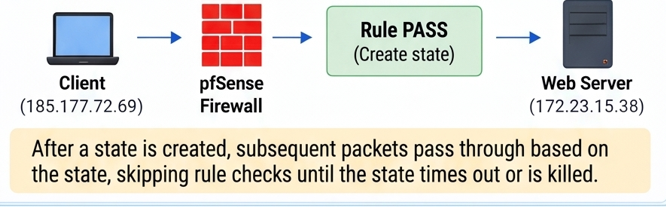
pfSense is a stateful firewall. When a connection is allowed, pfSense creates a state, and subsequent packets belonging to that connection are processed according to the state without re-evaluating the entire rule set.
This improves performance, but it also means that when you add a new blocking rule, existing connections may continue to operate until their state expires or is deleted (killed).
• You have just added an IP to the blacklist, but the IP can still access the service.
• You changed a rule (block/pass), but existing connections are still active.
• You want to immediately terminate active connections (for example, an attacking IP, port scanner, or brute-force source).
• You need the policy change to take effect immediately without waiting for the state timeout.
• When a connection is allowed, pfSense creates a state in the state table.
• Subsequent packets of the same connection are processed according to the state without checking the rules again.
• The state remains until the connection ends, times out, or is deleted.
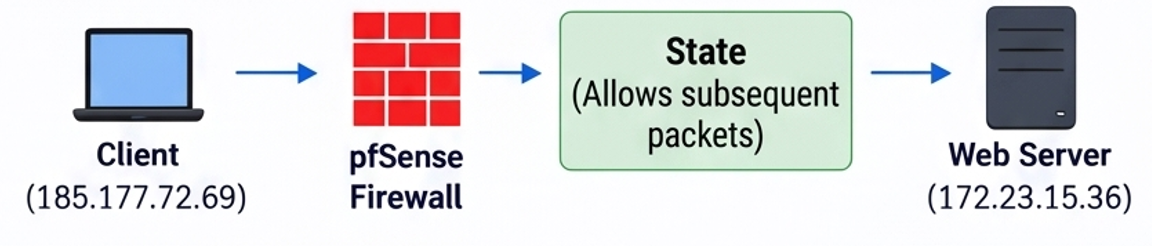
• The new blocking rule applies only to new connections.
• Existing connections that already have a state may continue to operate.
• To immediately block existing connections, you need to delete the state (Kill State).
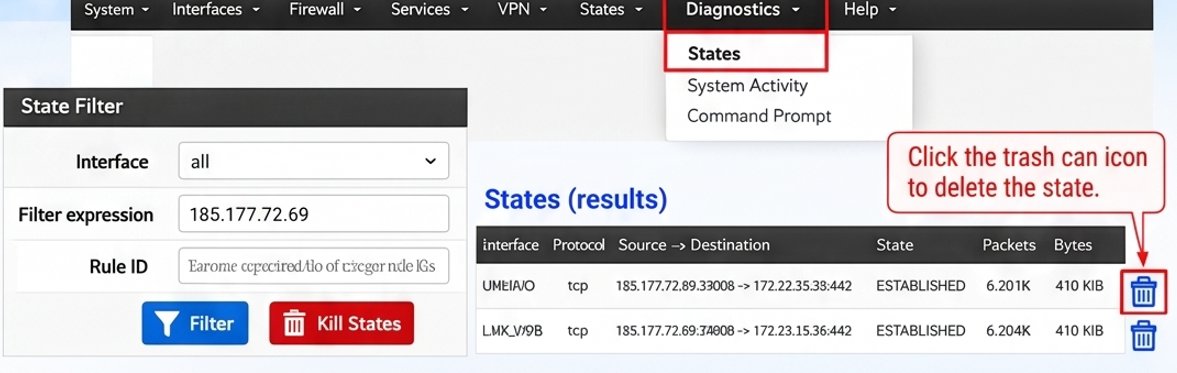
- Go to Diagnostics → States → States.
- Search for the IP whose state you want to delete (Filter expression).
- Click the trash-can icon to delete the state.
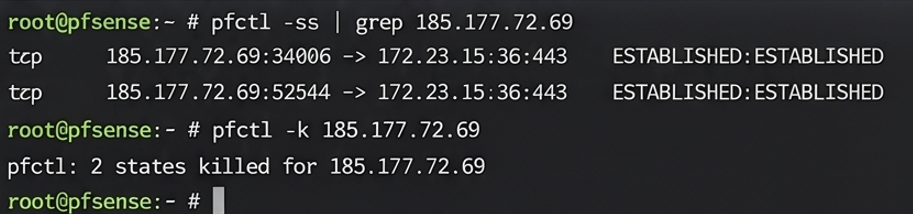
View the states for an IP:
pfctl -ss | grep 185.177.72.69
Delete all states for the IP:
pfctl -k 185.177.72.69
• Delete states only for the specific IP/connection when possible; avoid using pfctl -F state unless it is truly necessary.
• After the state is deleted, if the IP reconnects, it will be blocked by the new rule (provided the rule is correct).
• You can configure a block rule so that new connections are also blocked.
• Killing states is a normal administrative operation on a firewal
Kill State allows you to apply a new rule (especially a block rule) immediately by deleting the state associated with active IPs/connections.
This is a useful and necessary administrative operation when managing pfSense.
“Adding an IP to the blacklist is not enough; delete the state to block it immediately!”